We've improved how GrabrFi delivers verification codes to make sign-in faster and more reliable, especially for users outside the United States.
What's new
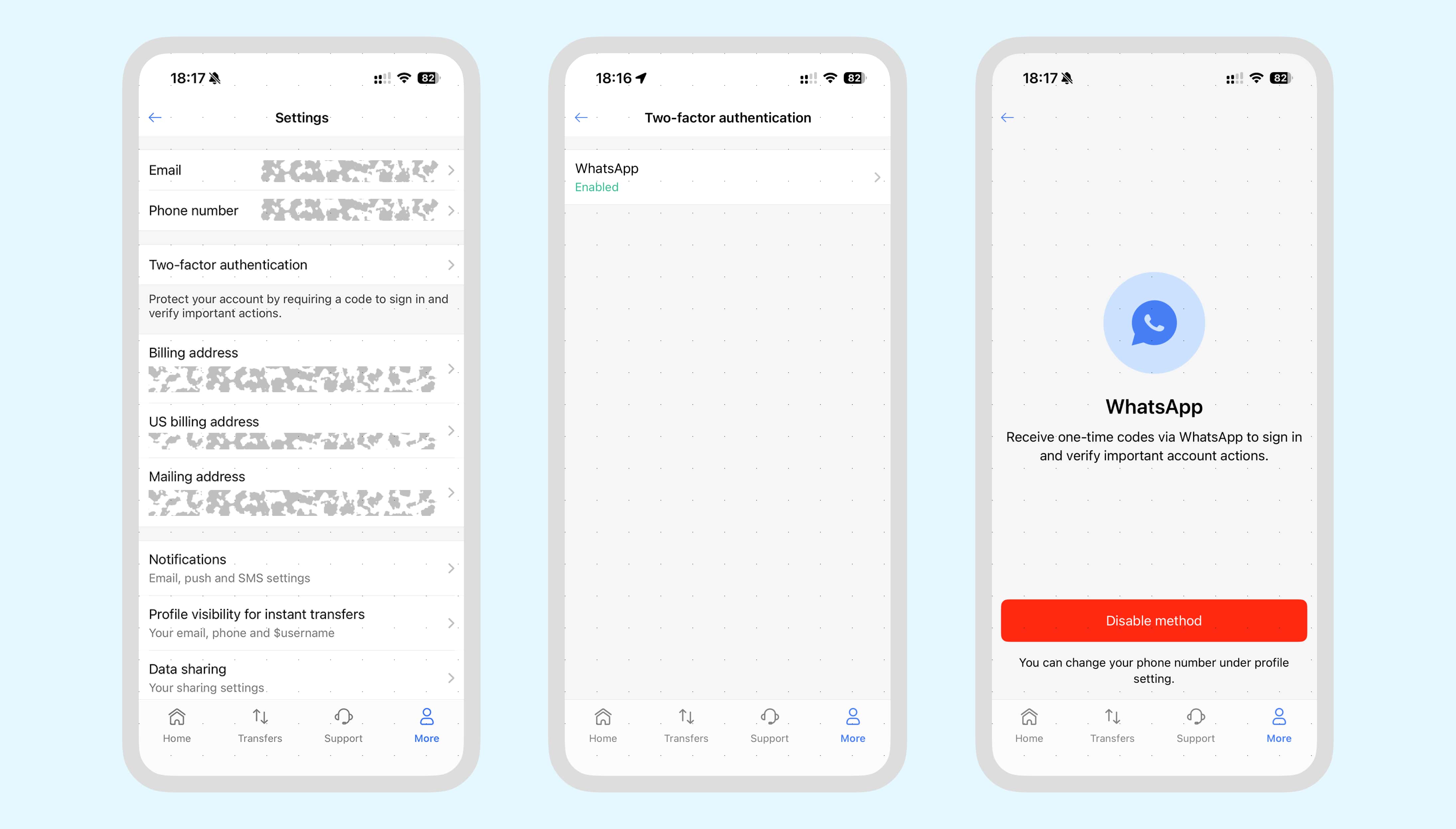
WhatsApp delivery is now available. When you need to verify your identity, GrabrFi can send your one-time code directly to your WhatsApp account. This is enabled by default for all users.
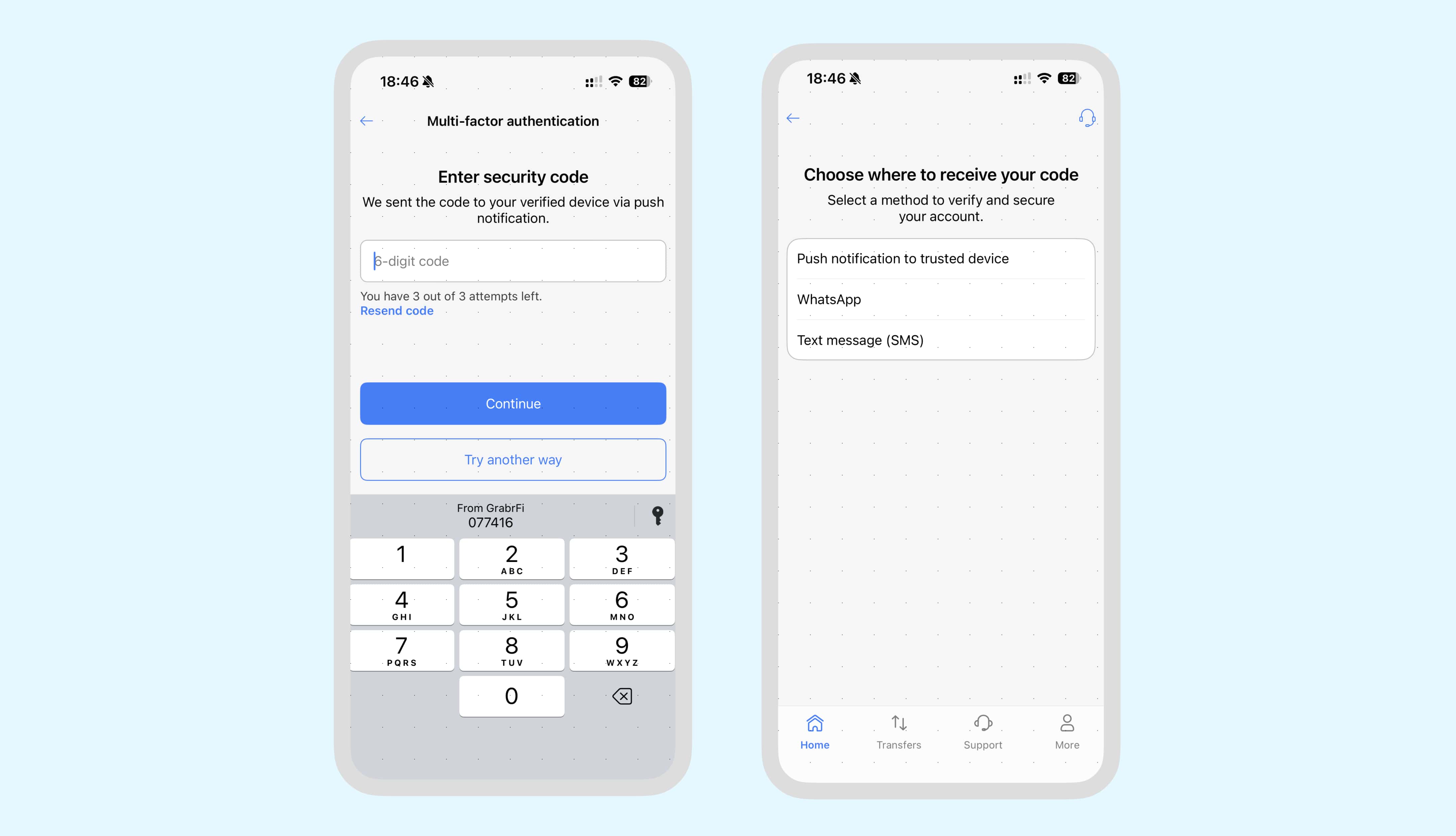
You can now choose how you receive codes. If your code doesn't arrive through the default method, you'll see an option on the verification screen to try a different delivery channel.
How it works
GrabrFi now delivers verification codes through three channels:
Push notification. Your default when you're logged in on a mobile device with notifications enabled.
WhatsApp. The default when logging in on a new device or when push is not available.
SMS. Available as an alternative if WhatsApp or push doesn't work for you.
Why WhatsApp?
Many of our users are based in regions where SMS delivery can be slow or unreliable. WhatsApp works over any internet connection and doesn't depend on your mobile carrier, so codes arrive faster and more consistently.
Prefer not to use WhatsApp?
You can disable WhatsApp delivery anytime in your two-factor authentication settings. Go to Profile → Two-factor authentication → WhatsApp and tap to disable. When WhatsApp is disabled, you'll receive codes via SMS when push isn't available. Learn how to manage your verification methods.